Note
Hello, welcome to the SunFounder Raspberry Pi & Arduino & ESP32 Enthusiasts Community on Facebook! Dive deeper into Raspberry Pi, Arduino, and ESP32 with fellow enthusiasts.
Why Join?
Expert Support: Solve post-sale issues and technical challenges with help from our community and team.
Learn & Share: Exchange tips and tutorials to enhance your skills.
Exclusive Previews: Get early access to new product announcements and sneak peeks.
Special Discounts: Enjoy exclusive discounts on our newest products.
Festive Promotions and Giveaways: Take part in giveaways and holiday promotions.
👉 Ready to explore and create with us? Click [here] and join today!
1.3 Install MicroPython on Your Pico
Now come to install MicroPython into Raspberry Pi Pico.
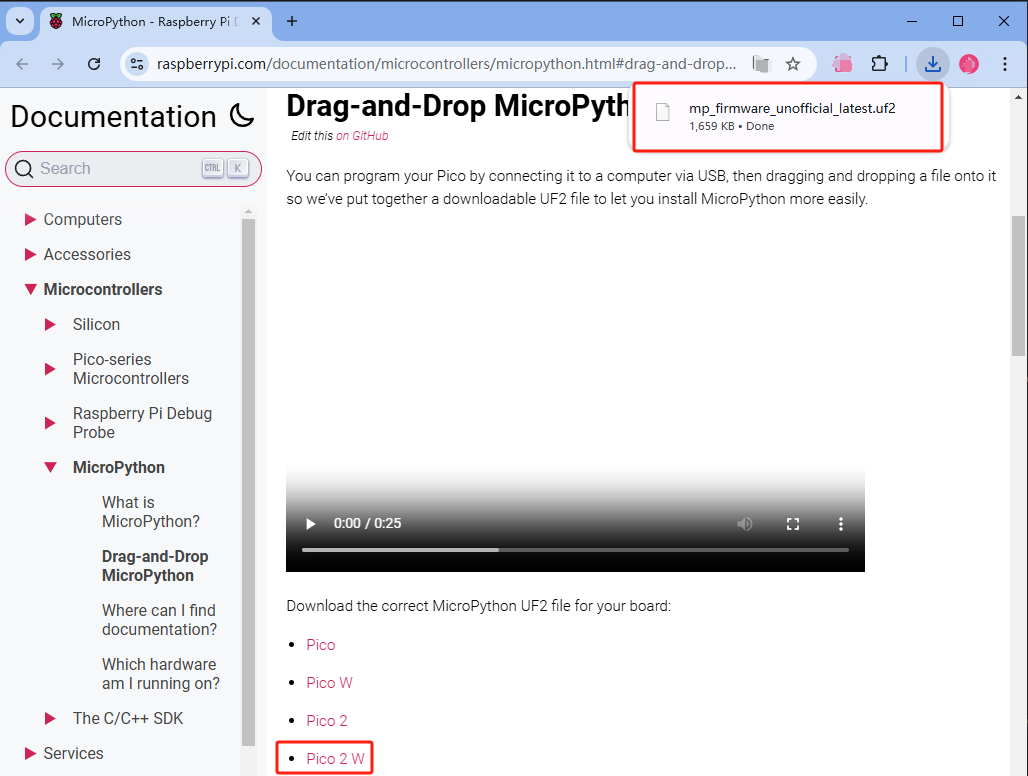
Open the Raspberry Pi official website documentation and download the firmware file
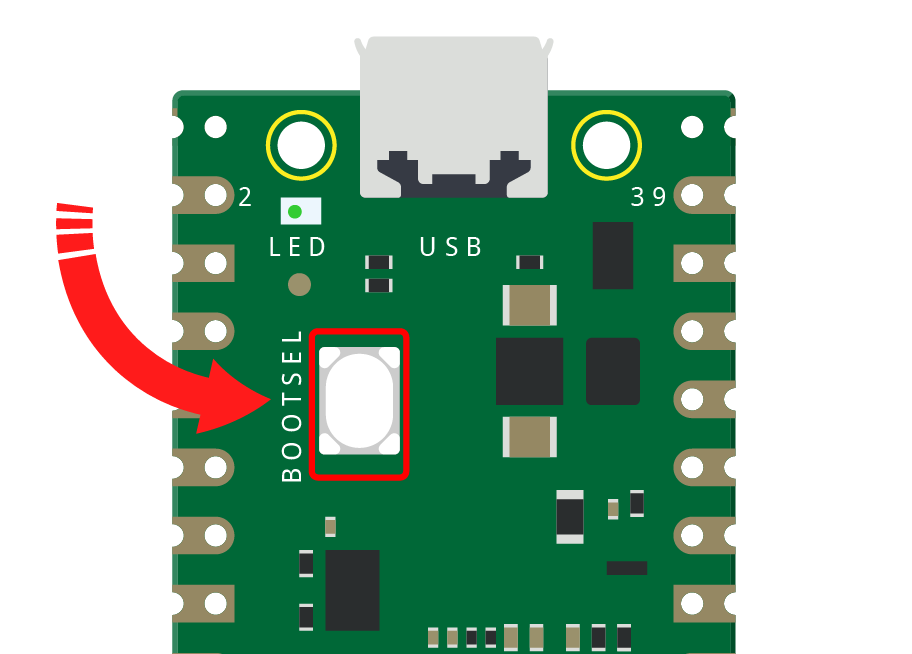
Press and hold the BOOTSEL button and then connect the Pico to computer via a Micro USB cable. Release the BOOTSEL button after your Pico is mount as a Mass Storage Device called RPI-RP2350.
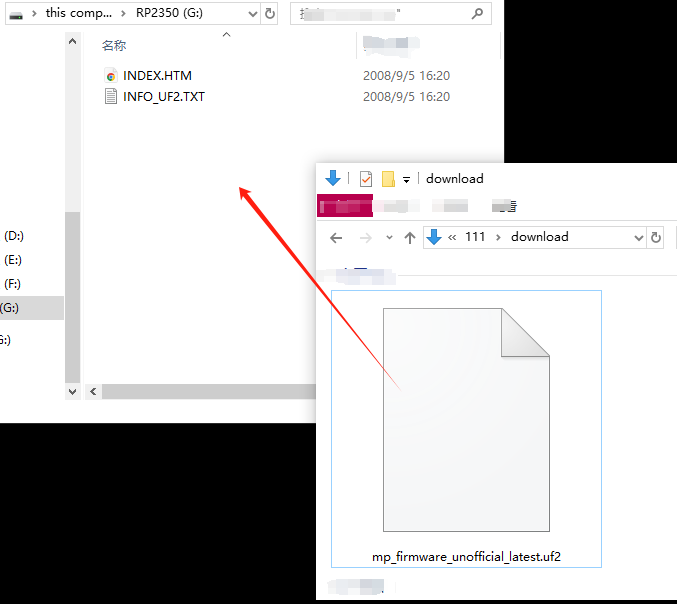
Drag and drop the firmware file into Raspberry Pi Pico 2 W . Afterward, your Pico 2 W will restart.
Congratulations, now your Raspberry Pi Pico is ready to go.