Note
Hello, welcome to the SunFounder Raspberry Pi & Arduino & ESP32 Enthusiasts Community on Facebook! Dive deeper into Raspberry Pi, Arduino, and ESP32 with fellow enthusiasts.
Why Join?
Expert Support: Solve post-sale issues and technical challenges with help from our community and team.
Learn & Share: Exchange tips and tutorials to enhance your skills.
Exclusive Previews: Get early access to new product announcements and sneak peeks.
Special Discounts: Enjoy exclusive discounts on our newest products.
Festive Promotions and Giveaways: Take part in giveaways and holiday promotions.
👉 Ready to explore and create with us? Click [here] and join today!
5. Install All the Modules(Important)
Update your system.
Make sure you are connected to the Internet and update your system:
sudo apt update
sudo apt upgrade
Note
Python3 related packages must be installed if you are installing the Lite version OS.
sudo apt install git python3-pip python3-setuptools python3-smbus
Install
robot-hatmodule.cd ~/ git clone -b v2.0 https://github.com/sunfounder/robot-hat.git cd robot-hat sudo python3 setup.py install
Install
vilibmodule.cd ~/ git clone -b picamera2 https://github.com/sunfounder/vilib.git cd vilib sudo python3 install.py
Download the code.
cd ~/
git clone https://github.com/sunfounder/pidog.git --depth 1
Install
pidogmodule.cd pidog sudo python3 setup.py install
This step will take a little time, so please be patient.
Run the script
i2samp.sh.Finally, you need to run the script
i2samp.shto install the components required by the i2s amplifier, otherwise the robot will have no sound.cd ~/pidog sudo bash i2samp.sh
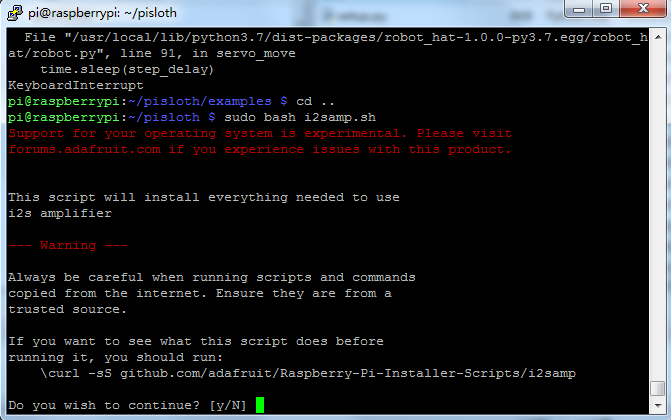
Type
yand pressEnterto continue running the script.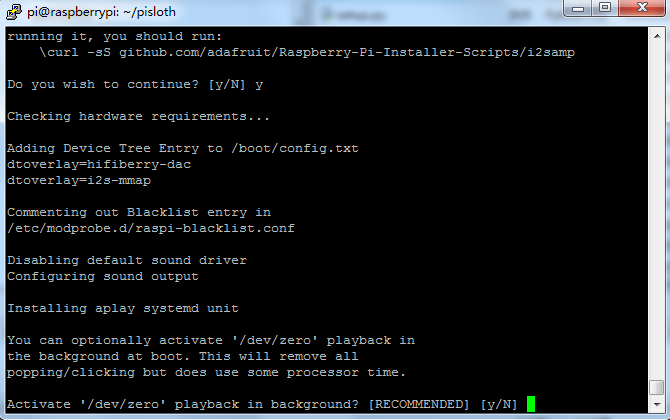
Type
yand pressEnterto run/dev/zeroin the background.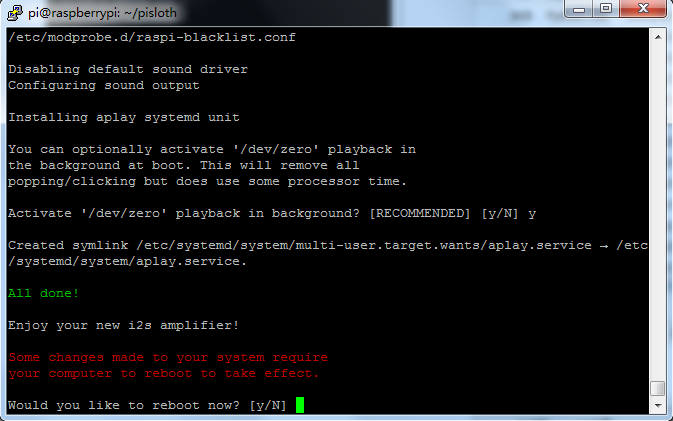
Type
yand pressEnterto restart the machine.Note
If there is no sound after restarting, you may need to run the
i2samp.shscript multiple times.