Mac OS X 用户指南
对于 Mac OS X 用户,SSH(安全外壳协议)提供了一种安全且便捷的方法来远程访问和控制 Raspberry Pi。这种方式特别适合在 Raspberry Pi 无法连接显示器或需要远程操作时使用。通过 Mac 的 Terminal 应用程序,您可以建立此安全连接。该过程需要通过 SSH 命令输入 Raspberry Pi 的用户名和主机名。首次连接时,系统会显示一条安全提示,要求确认 Raspberry Pi 的真实性。
在终端中输入以下 SSH 命令以连接到 Raspberry Pi:
ssh pi@raspberrypi.local
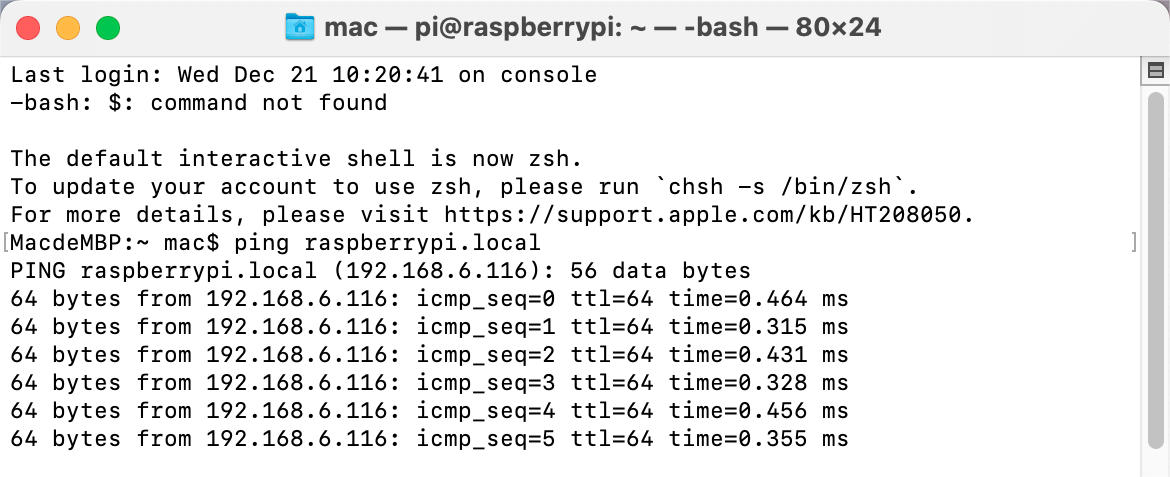
首次登录时,系统将显示一条安全提示信息。输入 yes 继续。
The authenticity of host 'raspberrypi.local (2400:2410:2101:5800:635b:f0b6:2662:8cba)' can't be established.
ED25519 key fingerprint is SHA256:oo7x3ZSgAo032wD1tE8eW0fFM/kmewIvRwkBys6XRwg.
Are you sure you want to continue connecting (yes/no/[fingerprint])?
输入 Raspberry Pi 的密码。请注意,出于安全原因,输入时密码不会显示在屏幕上。
[email protected]'s password:
Linux raspberrypi 5.15.61-v8+ #1579 SMP PREEMPT Fri Aug 26 11:16:44 BST 2022 aarch64

The programs included with the Debian GNU/Linux system are free software;
the exact distribution terms for each program are described in the
individual files in /usr/share/doc/*/copyright.

Debian GNU/Linux comes with ABSOLUTELY NO WARRANTY, to the extent
permitted by applicable law.
Last login: Thu Sep 22 12:18:22 2022
pi@raspberrypi:~ $