PiPower 5 Tool
The PiPower 5 tool is the companion software for PiPower 5.
PiPower 5 sends a shutdown signal in the following scenarios, and the PiPower 5 Tool is responsible for processing these signals:
The power button is held for two seconds and then released.
The external power supply is disconnected, and the battery level reaches the configured shutdown percentage.
You can also use this tool to retrieve various information from PiPower 5, such as voltage, current, and more.
Install the PiPower 5 Tool
Download the library from GitHub:
git clone https://github.com/sunfounder/pipower5
Navigate to the directory:
cd pipower5
Run the installation script:
sudo python3 install.py
This command also installs a web dashboard that runs on port 34001 of your device. The dashboard provides access to PiPower and Raspberry Pi device information. If you do not need the web dashboard, use this command instead:
sudo python install.py --disable-dashboard
After installation, you will be prompted to restart the system. Enter
Yand press Enter to reboot. Once rebooted, the PiPower 5 safe shutdown service will start automatically.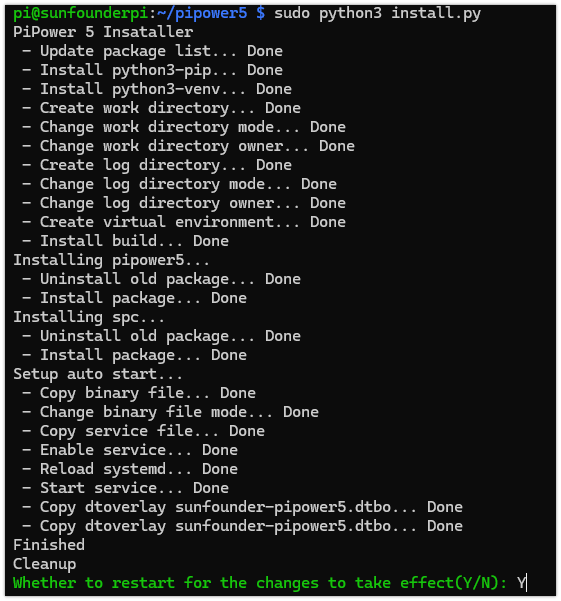
After that, if the power button is pressed for 2 seconds or the battery power is low, PiPower 5 will notify the Raspberry Pi to shut down and disconnect the power.
Basic Command Usage
When the Raspberry Pi is not connected to an external power supply and the battery voltage drops below the configured shutdown percentage, PiPower 5 sends a “low battery” shutdown request via I²C. A Raspberry Pi with the PiPower 5 Tool installed can process this request, execute the shutdown command, raise the SDSIG pin, and allow PiPower 5 to disconnect the power, preventing unexpected data loss caused by sudden power outages.
After installing the pipower5 library, the Raspberry Pi will automatically manage safe shutdowns.
Configure Shutdown Percentage
To set the shutdown percentage, use the following command:
pipower5 -sp [PERCENTAGE]
Example:
Set the shutdown percentage to 30%:
pipower5 -sp 30
When the battery level drops below 30%, PiPower 5 will notify the Raspberry Pi to shut down and disconnect the power.
Tip
If you are using high-power peripherals (>3A), the battery may not be able to provide power for a long time, consider setting the shutdown percentage to 100%. This ensures immediate shutdown when external power is disconnected, protecting the Raspberry Pi and its data.
Retrieving Data with PiPower5
You can use the pipower5 command to view the current information. The detailed command parameters are as follows:
usage: pipower5 [-h] [-sp [SHUTDOWN_PERCENTAGE]] [-iv] [-ov] [-oc] [-bv] [-bc] [-bp] [-bs] [-ii] [-ichg] [-do]
                [-sr] [-cc] [-a] [-v] [-fv]
                [command]

PiPower 5

positional arguments:
  command               Command

options:
  -h, --help            show this help message and exit
  -sp [SHUTDOWN_PERCENTAGE], --shutdown-percentage [SHUTDOWN_PERCENTAGE]
                        Set shutdown percentage, leave empty to read
  -iv, --input-voltage  Read input voltage
  -ov, --output-voltage
                        Read output voltage
  -oc, --output-current
                        Read output current
  -bv, --battery-voltage
                        Read battery voltage
  -bc, --battery-current
                        Read battery current
  -bp, --battery-percentage
                        Read battery percentage
  -bs, --battery-source
                        Read battery source
  -ii, --is-input-plugged_in
                        Read is input plugged in
  -ichg, --is-charging  Read is charging
  -do, --default-on     Read default on
  -sr, --shutdown-request
                        Read shutdown request
  -cc, --charging-current
                        Max charging current
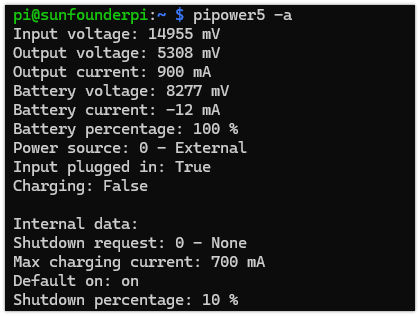
  -a, --all             Show all status
  -v, --version         pipower5 library version
  -fv, --firmware       pipower5 firmware version
Example:
Web Dashboard
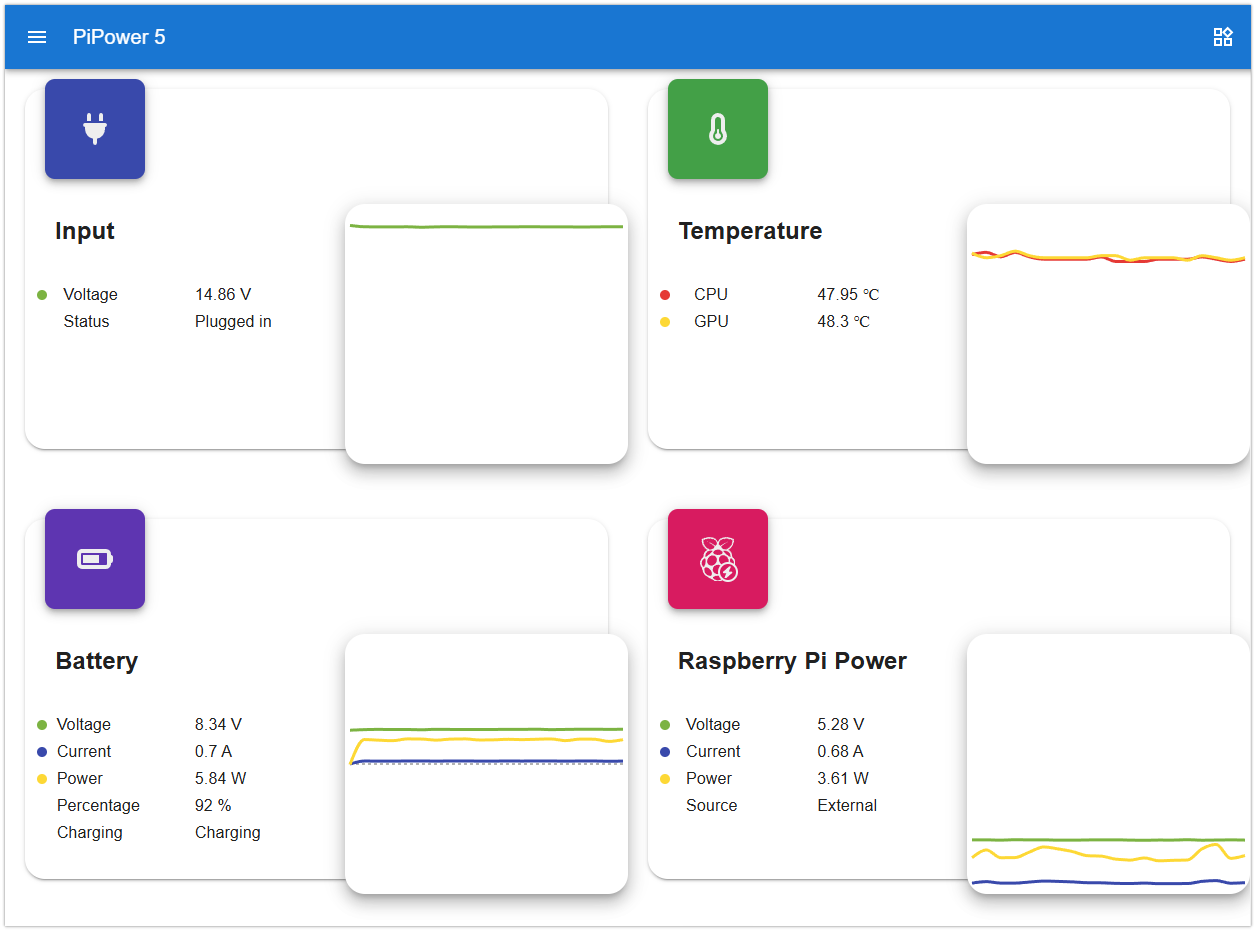
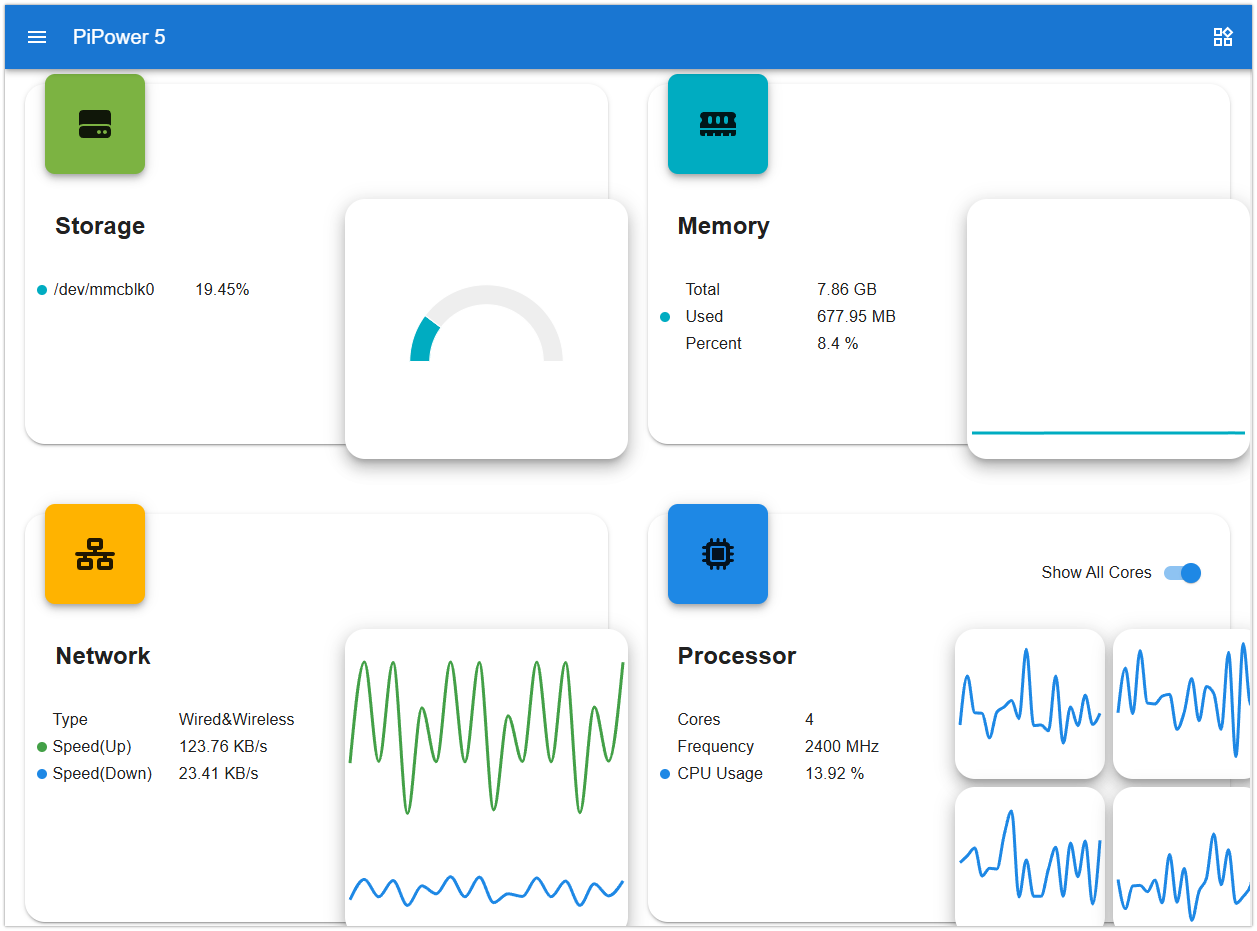
When installing the PiPower command-line tool, a Web Dashboard is also included, accessible via port 34001 on your device.
If you prefer not to use the Web Dashboard, you can remove it with the following command:
sudo pipower5 --remove-dashboard
The Web Dashboard allows you to view various PiPower 5 and raspberry pi data, including:
Additionally, you can configure the Shutdown Percentage through the dashboard.
Example:
Set the shutdown percentage to 10%:
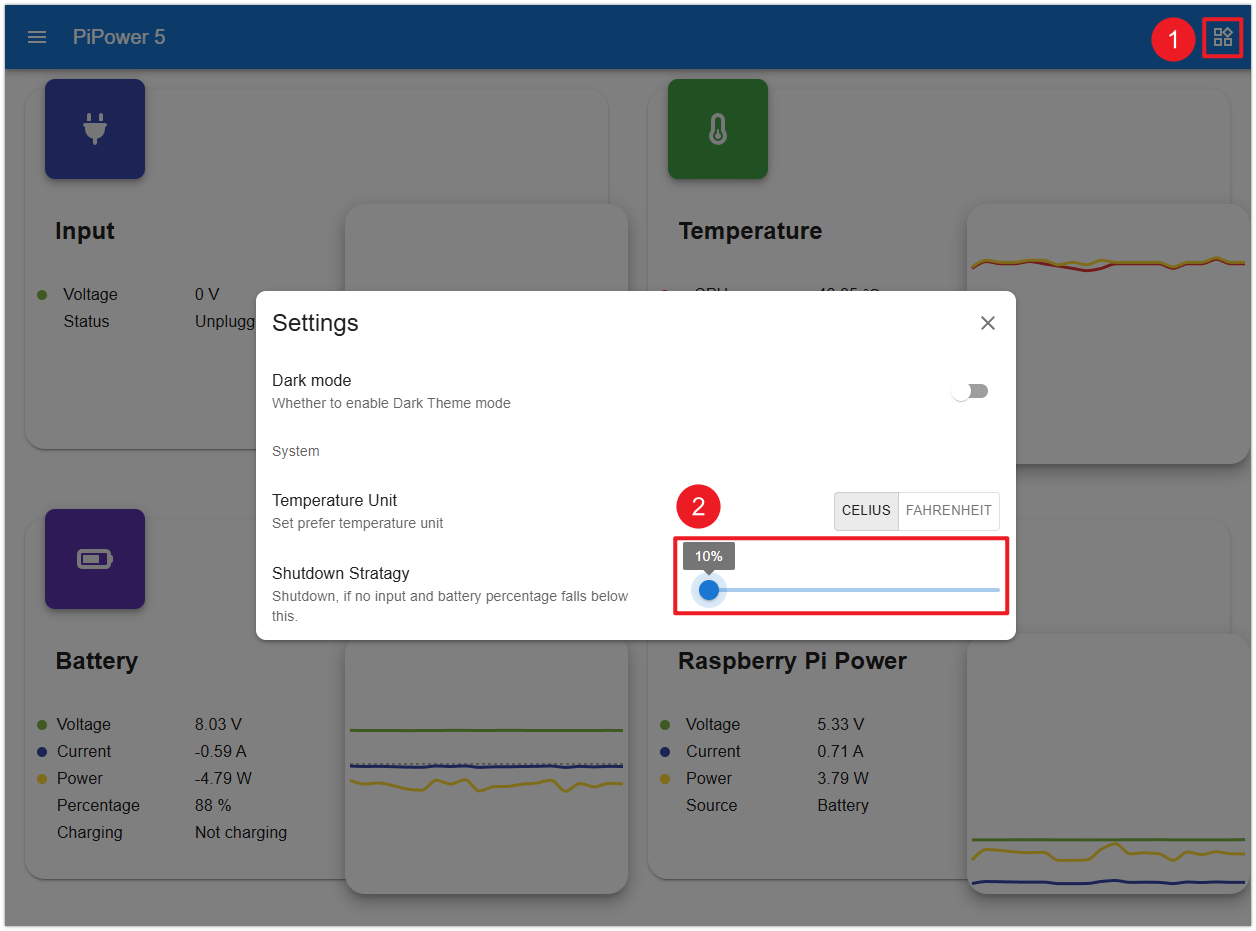
When the battery level drops below 10%, PiPower 5 will notify the Raspberry Pi to shut down and disconnect the power.